







 Posts
Posts


Showing posts with label infected. Show all posts
Showing posts with label infected. Show all posts
Sunday, December 26, 2010
How do I Test My VirusScan Installation? (Eicar)
Type your summary here Type rest of the post here


Bookmark this post: | 


|
hardware firewell
.
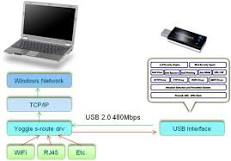
The best firewall is a hardware firewall that is completely separate from your operating system. It need not be a dedicated router, could be an old pentium box running Linux. Below I have found some sites that have How To's on setting up an outside hardware router using an old computer and using a little linux program that fits on a single floppy disk.
Brief Description:
The best firewall is a hardware firewall that is completely separate from your operating system. It need not be a dedicated router, could be an old pentium box running Linux. Below I have found some sites that have How To's on setting up an outside hardware router using an old computer and using a little linux program that fits on a single floppy disk.
Brief Description:
Bookmark this post: |
|
Saturday, December 25, 2010
evolution of computer viruses histry of viruses
part 1
Like any other field in computer science, viruses have evolved -a great deal indeed- over the years. In the series of press releases which start today, we will look at the origins and evolution of malicious code since it first appeared up to the present.
Going back to the origin of viruses, it was in 1949 that Mathematician John Von Neumann described self-replicating programs which could resemble computer viruses as they are known today. However, it was not until the 60s that we find the predecessor of current viruses. In that decade, a group of programmers developed a game called Core Wars, which could reproduce every time it was run, and even saturate the memory of other players’ computers. The creators of this peculiar game also created the first antivirus, an application named Reeper, which could destroy copies created by Core Wars.
Bookmark this post: |
|
Friday, December 24, 2010
Delete An "undeletable" File
Type your summary here Type rest of the post here

Delete An "undeletable" File
Open a Command Prompt window and leave it open.
Close all open programs.
Click Start, Run and enter TASKMGR.EXE
Go to the Processes tab and End Process on Explorer.exe.
Leave Task Manager open.
Go back to the Command Prompt window and change to the directory the AVI (or other undeletable file) is located in.
At the command prompt type DEL <filename> where <filename> is the file you wish to delete.
Go back to Task Manager, click File, New Task and enter EXPLORER.EXE to restart the GUI shell.
Close Task Manager.
Delete An "undeletable" File
Open a Command Prompt window and leave it open.
Close all open programs.
Click Start, Run and enter TASKMGR.EXE
Go to the Processes tab and End Process on Explorer.exe.
Leave Task Manager open.
Go back to the Command Prompt window and change to the directory the AVI (or other undeletable file) is located in.
At the command prompt type DEL <filename> where <filename> is the file you wish to delete.
Go back to Task Manager, click File, New Task and enter EXPLORER.EXE to restart the GUI shell.
Close Task Manager.
Bookmark this post: |
|
Monday, December 13, 2010
check for dos, check to see if you are in infected
When you first turn on you computer (BEFORE DIALING INTO YOUR ISP),
open a MS-DOS Prompt window (start/programs MS-DOS Prompt).
Then type netstat -arn and press the Enter key.
Your screen should display the following (without the dotted lines
which I added for clarification).
Bookmark this post: |
|
Caught A Virus?
Caught A Virus?
Caught A Virus?
If you've let your guard down--or even if you haven't--it can be hard to tell if your PC is infected. Here's what to do if you suspect the worst.
Heard this one before? You must run antivirus software and keep it up to date or else your PC will get infected, you'll lose all your data, and you'll incur the wrath of every e-mail buddy you unknowingly infect because of your carelessness.
Bookmark this post: |
|
Subscribe to:
Posts (Atom)

